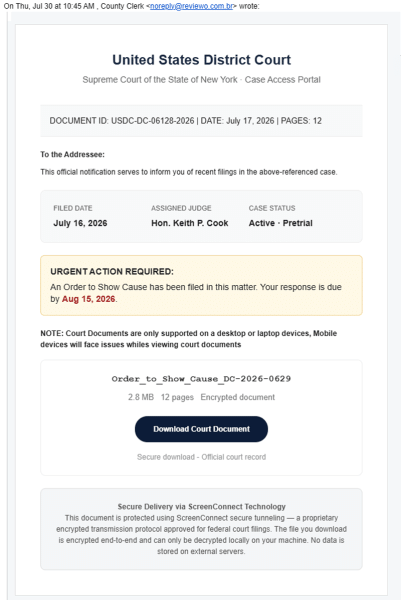
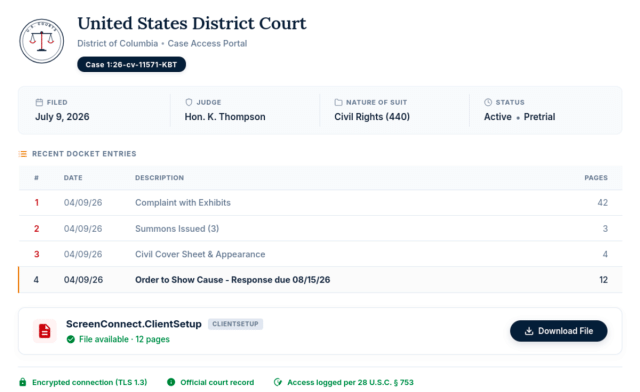
Scam summary: This is an example of an emerging phishing technique to trick you into running maliciously-configured remote access software. The phishing email has a "Download Court Document" link that opens a fraudulent website where you would download remote access software. This "ScreenConnect" download is configured to give the threat actor remote control of your PC, which would enable them to exfiltrate sensitive data including access tokens and credentials, or to control your logged-in browser with your access.
Red flags: You should never be required to initiate and execute a download in order to view a document.
The wording in the phishing email is designed to convince you that it is expected that the "shared document" requires downloading and running a ScreenConnect installer. For example:
- "NOTE: Court Documents are only supported on a desktop or laptop devices, Mobile devices will face issues whiles viewing court documents"
- "Secure Delivery via ScreenConnect Technology
This document is protected using ScreenConnect secure tunneling — a proprietary encrypted transmission protocol approved for federal court filings. The file you download is encrypted end-to-end and can only be decrypted locally on your machine."