Summary
This multi-stage scam begins with a phishing email targeting U-M faculty with a personalized message proposing research collaboration. The threat actor impersonates a professor from another university. The scam is designed to engage the recipient to gain trust, and then over multiple steps, induce them to download a maliciously-configured installer file which enables the threat actor to take control of the faculty member’s device.
The subject line and body of the initial message may include convincingly detailed information regarding the proposed research collaboration that is customized based on the U-M faculty member's research.
Technical Details
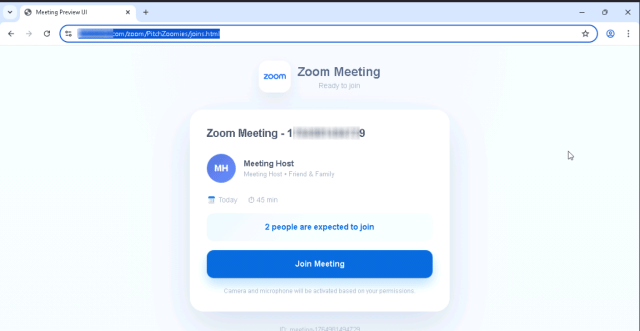
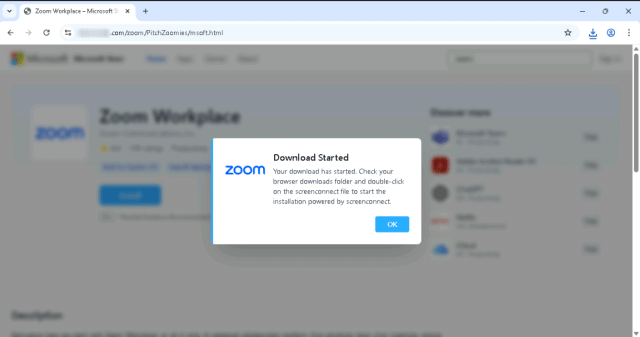
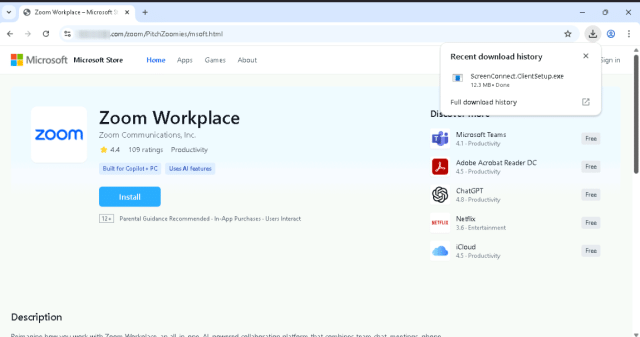
The initial phishing email message is followed by an invitation (including an .ics file attachment) that links to an apparently fake Zoom site. The site prompts the recipient to download an “update” for Zoom, which it will initiate, but it is actually a maliciously-configured ScreenConnect installer. (ScreenConnect is remote access software typically used for providing remote IT support.)
This installer enables the threat actor to gain control of the recipient’s device. If a threat actor has this type of control, they are able to steal login credentials and sensitive information, as well as use the device for fraud or other malicious activity.