Spring 2026

Leadership Update

Celebrating Privacy Office Events and Projects, a Training Milestone, and Vulnerability Management Updates

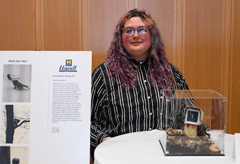
Kade Kuba - Art & Design, Fourth year

Sol Bermann, Executive Director of Privacy and Faculty Affairs, encourages you to take time this summer to dive into timely privacy topics by watching recordings from the 2026 Privacy@Michigan speaker series, and check out all past event programming while you’re there. Bermann also invites you to stroll through the Unveil: Privacy@Michigan Art Gallery and take in the winning artworks from this year’s inaugural student art contest. He shares, “The submissions showed how powerful art can be in sparking conversation and building awareness around privacy, autonomy, and surveillance in our everyday digital lives. From the winners, you can see that we all can be artists, and that you don’t have to be an art major to engage in compelling artistic expression.” (see the Unveil exhibition featured in the “Michigan Daily”).

Throughout the academic year, the ITS Office of Privacy has collaborated with students on myriad programming and initiatives; read more about them in the newsletter. Bermann says, “The students are applying the skills they gain from their academic work to develop projects that address real-world privacy outreach needs at U-M and beyond.”

Asmat Noori, Interim Chief Information Security Officer, celebrates a milestone in the evolution of U-M’s IT security awareness culture, as over 36,000 faculty and staff have completed DCE101: Cybersecurity and Data Protection at U-M. ITS has received positive feedback on the course as a concise, practical guide to protecting the university’s digital resources and data, and staying safe online. Noori says, “Providing consistent, essential information university-wide reinforces the idea that IT security really is a shared responsibility.”

Noori also wants the security community to be aware of upcoming updates to vulnerability management at U-M (see article for details). He explains, “Refining the vulnerability management process and guidance enables us to sharpen remediation focus on the highest priorities, which will help enhance our security posture.”


Staff Spotlight

Staff Spotlight: David Savercool

David Savercool and his wife

David Savercool, an Information Security Engineer Sr. in ITS Information Assurance (IA), believes solving problems is “best served by leveraging the expertise available to you.” Seeking out experts in a given field is how David satisfies his natural curiosity and his drive to solve unique problems.

David joined the PROACTIVE Team in IA’s IT Security Design & Engineering group a year ago. His current focus is on Vulnerability Management, but he is also involved in penetration testing, sensitive data discovery, and threat hunting. This work is accomplished in cooperation with other security partners, with the PROACTIVE team serving as advisors and focusing on maintaining compliance with university policies and standards. David also does a lot of coding in Python, leveraging the APIs and tools to perform threat hunting.

When it comes to vulnerability management, web application scanning, and sensitive data discovery capabilities and tools IA offers to units, David always likes to remind people to “keep reasonable expectations around remediation since an easy patch isn’t always available.” When there are no clear-cut solutions to vulnerabilities, he is on the lookout for new ways to enhance prioritization and remediation.

David has always been interested in working at the University of Michigan. An MCIT (Medical Center Information Technology) opportunity was available when he was leaving college, but it didn’t work out, and David ended up taking a job at the Wayne State University College of Nursing. Since then, his career path has jumped around, but there is a common thread through every stop–opportunities to learn. David has accepted most positions with a goal of taking on new challenges.

Most recently, he worked at a startup called Ripple Science that developed a software platform for patient engagement, which involved Kubernetes and containers. When the position became available to David, he had very little experience in Kubernetes, but he accepted it to pursue his curiosity and desire to add a new skill to his toolbelt.

This curiosity was present even in David’s youth. When asked what led him down his career path, David shared, “When I was 14 years old, a friend hacked my computer. Then afterwards, he showed me how he did it.” Shortly after, David started building and refurbishing computers. At 16, he set up his first LINUX web server. He describes himself as a tinkerer. “As long as a piece of tech is functioning, there isn’t much to see. But when it breaks, you get to see how it works.” When his Sega Genesis stopped working as a kid, he took it apart with a screwdriver to examine it. Even though it never worked again, it was enough to learn something about the machine and to satisfy his thirst for knowledge.

David takes his inquisitiveness everywhere. In his spare time, he likes to read abstracts from scientific articles to stay up to date on modern innovations. Even if he doesn’t fully understand the science, he likes to see what people out there are trying to do. In the past, this reading has inspired David to write fiction. He likes to incorporate fringe experiments into the story’s background. He has a creative novel project on hold at the moment, but David says that his wife has been encouraging him to start it back up.

David and his wife have three children and look forward to summer in Michigan.


Project & Capability Updates

Upcoming Vulnerability Management (DS-21) Changes

Keyboard key labelled Vulnerabilty Management

Artificial Intelligence is rapidly changing the sphere of cybersecurity threats to IT infrastructures. The number of attacks targeting the university is increasing, while the time between identification and exploitation is decreasing. ITS Information Assurance (IA) is cognizant of the shifting threat landscape and is finalizing updates to the Vulnerability Management (DS-21) standard.

Vulnerability management is a critical component of the university’s information security program and is essential to protecting U-M data and systems and reducing financial, reputational, and regulatory risks. To manage vulnerabilities in an effective and timely manner, IA works in close partnership with units. The DS-21 standard establishes compliance requirements for this important work.

New Enrollment Requirement and Exception Process

A notable change to the standard is the requirement for “all university-owned systems, regardless of location and the sensitivity level of institutional and research data they create, process, maintain, transmit, or store” to enroll in the enterprise vulnerability management system (Tenable). The standard introduces a process by which units can request exceptions for systems with conflicts that prevent the installation of Tenable.

Changes to Prioritization and Remediation Guidelines

Previously, there were two priority levels, Critical and High, with timeframes for resolution of 1 month and 3 months, respectively. A new priority level, Urgent, has been added, with a 2-week resolution timeframe. The updated severity levels and remediation timeframes are informed by multiple considerations, including threat level, exposure, asset criticality, and compensating controls. This updated framework, supported by Tenable reporting, will enable unit staff to better focus their remediation efforts.

Change to the Basis for Severity Determinations

Vulnerability severity will no longer be based on the Common Vulnerability Scoring System (CVSS) and will instead be determined by Tenable’s Vulnerability Priority Rating (VPR). VPR provides a more accurate risk-based severity by incorporating exploits that are active in the wild. While VPR replaces CVSS as the primary score for DS-21 remediation prioritization, teams remain responsible for meeting any stricter regulatory, contractual, or industry compliance requirements.

Clarification of Roles and Responsibilities

The revision simplifies and clarifies roles and responsibilities for IA and IT staff and introduces a set of responsibilities for end users around keeping devices up-to-date on security safeguards.

A draft of the revision is available for review on the VPIT-CIO website.


Identity & Access Management

Improve your UMICH account sign-in experience with Okta Verify for Desktop

Squirrel at a desk. Text: Set up Okta Verify  for Desktop for a faster, more secure sign-in experience.

Following the transition to Okta for sign-in and multi-factor authentication, Information and Technology Services (ITS) recommends setting up Okta Verify for Desktop on your Windows or macOS computer to improve your sign-in experience and account security.

Why use the desktop app?

While many of us are used to receiving MFA prompts on our phones, adding Okta Verify for Desktop to your computer offers several distinct advantages:

  • Experience a passwordless sign-in - Setting up the desktop app allows you to optionally use Okta FastPass, a feature that allows you to sign-in to your UMICH account without having to type your password.
  • Stop reaching for your phone - Acknowledging an Okta prompt directly on the computer you are already using streamlines your sign-in experience and reduces the need to constantly reach for your phone.
  • Have a backup device - By registering your computer as a second device, you create a vital safety net. If your phone is lost, broken, or has a dead battery, you won't be locked out of your UMICH account.

How to get started

Whether you are using a MiWorkspace machine, a non-managed university device, or your personal computer, step-by-step instructions are available on our website.

Go passwordless with Okta FastPass

When setting up the Okta Verify desktop app, you will have the option to set up the Okta FastPass feature. Activating this feature will allow your computer to recognize you through Mac Touch ID (Fingerprint) or Windows Hello (fingerprint, facial recognition, or PIN).

It is important to note that U-M and Okta do not store your biometric data. Just like Apple’s Touch ID or Face ID, your biometric information stays encrypted and stored locally on your device. The system simply sends a "success" signal to Okta once you’ve authenticated and neither Okta nor U-M can view or store your biometric data.

Increasing security at U-M

By setting up Okta Verify on your daily computer, you aren't just improving your sign-in experience, you’re helping strengthen the security of the entire university.

If you encounter any issues during the setup process, please submit a ticket to the ITS Service Center. Your feedback is invaluable as we work to improve the experience for the entire U-M community.


Shared Responsibility & Unit Support

SUL profile - Matthew New

Matthew NewMatthew always wanted to work at U-M, and after eight years as an IT manager in the private sector, he started a desktop support role in a small department in the College of Engineering (CoE). Almost 18 years later, Matthew has advanced through a variety of IT roles and recently became the Associate Director of Departmental IT Services for CoE (and their Security Unit Liaison).

While working full-time at U-M, Matthew earned his associate's and bachelor's degrees, and had three sons with his wife of 19 years. Matthew credits U-M for being extremely supportive of his work-life balance and career aspirations, including the tuition reimbursement program and professional development opportunities.

In 2016, after Matthew earned his degree in technology management, he moved to Mechanical Engineering (ME) as an IT manager. When Matthew describes his ten years there, his pride and fondness for the people at ME clearly shine. In his words, “I've had the same staff, no turnover, since then. And we have an amazing group. We support about a thousand computers, so a lot of my IT security experience comes from tightening up security at ME. We have Linux, Mac, and Windows machines, protect research, allow our faculty to still be innovative and collaborative, and push boundaries while still working in protected environments.”

When asked to recall something “cool” that he’s done in CoE, Matthew has lots of stories of how his teams have addressed security requirements while meeting the unique needs of CoE. In one example, he described IRAP, the insecure remote access protocols project: “We quickly realized you can filter logs to look at remote access. And we saw insecure connections all over our network. So we reached out to specific individuals and groups and worked with them to start utilizing supported U-M technologies. We even invested in no-machine licenses and offered them to individuals who require Apple Remote Desktop. Those individuals don't want their screens to be live in the lab, because then everybody could see what they're doing.”

Matthew described his security approach as follows. “Our users are not only our staff and faculty, but our students as well. I'd like them to feel they're supported and educated. And again, we're not putting up barriers to research. If you do good IT from the start, if you have good backups, if you're using endpoint protection, if your networks are secured and isolated from other potential networks that aren't secure, like MWireless, if you do that and promote the use of VPN and not traveling with all of your information everywhere you go, it certainly reduces your attack surface.”

When it comes to education, Matthew knows how to make security understandable to people in CoE, and his approach is paying off. He said, “We all get so many emails nowadays, so hearing a mention at a team meeting, it makes so much more difference. It makes you realize, yes, these people are paying attention to what I'm saying, and what I'm doing really does matter. If I'm an administrative assistant and I've been here for a month, I don't know who Ravi Pendse is, right? No clue. I know who David is down the hall, who helped me set up my computer. So, David's going to email me. Odds are that he's going to be speaking my language and I'm going to understand what he's saying.”

Matthew's work connections and relationships are one key to his success, and that doesn’t happen by accident. He doesn’t want to call someone and say, “Hey, I haven't talked to you in eight years, but now I need a favor.” Instead, he has a recurring calendar alert that goes off every Thursday morning. It says, "Say hi to an old friend." According to Matthew, “nine times out of ten, it's U-M people. People that I haven't talked to in a couple of years, who I used to work with. Maybe, ‘Hey, you want to have lunch?’ ‘You want to go for a walk?’ Just keeping those connections alive.’”

Outside of work, Matthew is a longtime yoga enthusiast and tries to keep healthy. He said, “Because if I keep my body healthy, my brain seems to stay healthy. I love my family. I'm a sucker for cats and dogs. I've got four cats and a dog. They're all rescues.” Matthew also has a secret talent: avoiding IT work when he’s at home.


 

New Resource: Appropriate Use of AI Services

person pointing at a login screen with a padlock

As artificial intelligence tools become increasingly integrated into daily work, education, research, and teaching, the University of Michigan has published a new resource to help community members use these powerful services appropriately and responsibly. The Appropriate Use of AI Services & U-M Policy guide provides clear, actionable direction organized around five key areas:

  • General Responsibilities
  • Handling U-M Data
  • Generating Code
  • Teaching, Learning, and Knowledge Production
  • Procurement of AI Services

Each section links to supporting U-M policies, IT standards, and guidance, helping users understand not only what to do, but the institutional framework behind these expectations.

This resource is your go-to reference for making informed decisions as AI adoption grows across campus and we encourage you to share it with faculty, staff, and students in your unit.


Education & Awareness

Students Create Innovative Privacy Awareness Engagement Tools

Four students joined the Office of Privacy team this year with innovative ideas for teaching privacy awareness at U-M and beyond. They started with concepts for privacy engagement tools they came up with in the Privacy and Surveillance (SI 332) course taught by Sol Bermann, who also has a faculty appointment in UMSI as an Adjunct Clinical Assistant Professor of Information, in addition to being Executive Director of Privacy and Faculty Affairs in ITS.

Tackling a Real-World Privacy Issue

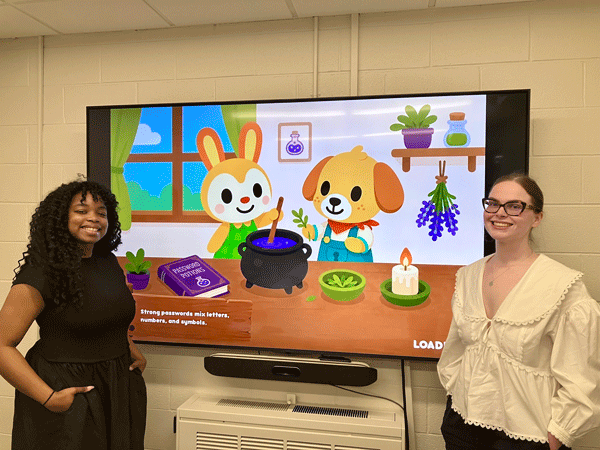
Grace Ashworth and Sarafina CheaGrace Ashworth, 2026 LSA graduate, Sarafina Chea, 2026 UMSI graduate, and Eric Nielsen, UMSI rising senior, came together for a final group project in Bermann’s course in the fall of 2025. Project groups had been tasked with proposing a solution to a real-world privacy challenge raised by one of the course guest speakers.
This group chose to address the issue of children’s digital privacy literacy identified by Dr. Lauren Girouard, a postdoctoral research scholar at the University of Michigan and Harvard University. (View a recording of Dr. Girouard’s 2026 Privacy@Michigan presentation: “Exploring Digital Privacy from a Child’s Perspective.”) Grace explains, “Children are very vulnerable to the privacy risks and we recognized that early intervention is key to building foundational digital literacy skills that kids will have for their whole lives.” 

Bermann encouraged the group to propose an idea for an app. Eric describes their project as “a game-based education application that teaches children core concepts of online privacy, data collection, and digital surveillance.” Bermann thought their final presentation was creative and promising, and engaged them as student employees in the ITS Office of Privacy to create a concept design.

Learning Through Gaming

Sarafina, Eric, and Grace employed their UX and research skills during the winter semester to create compelling age-appropriate educational scenarios and human-centered game interactions. For example, children are asked to make decisions about what to share when setting up an account for an app. As they play, they earn rewards they can use to purchase accessories for an avatar for the game. Sarafina shares a design insight she gained, “Educational gaming takes a lot of feedback, and for someone to learn something through a game, you have to be very intentional about what you're saying, what you're not saying, how much you're giving.” Under Bermann’s guidance, the game concept will continue to be developed into a playable beta version over the summer by a cohort of ITS interns. 

Bringing Privacy and Digital Safety Awareness to Students

Alyssa Peek, 2026 UMSI graduate

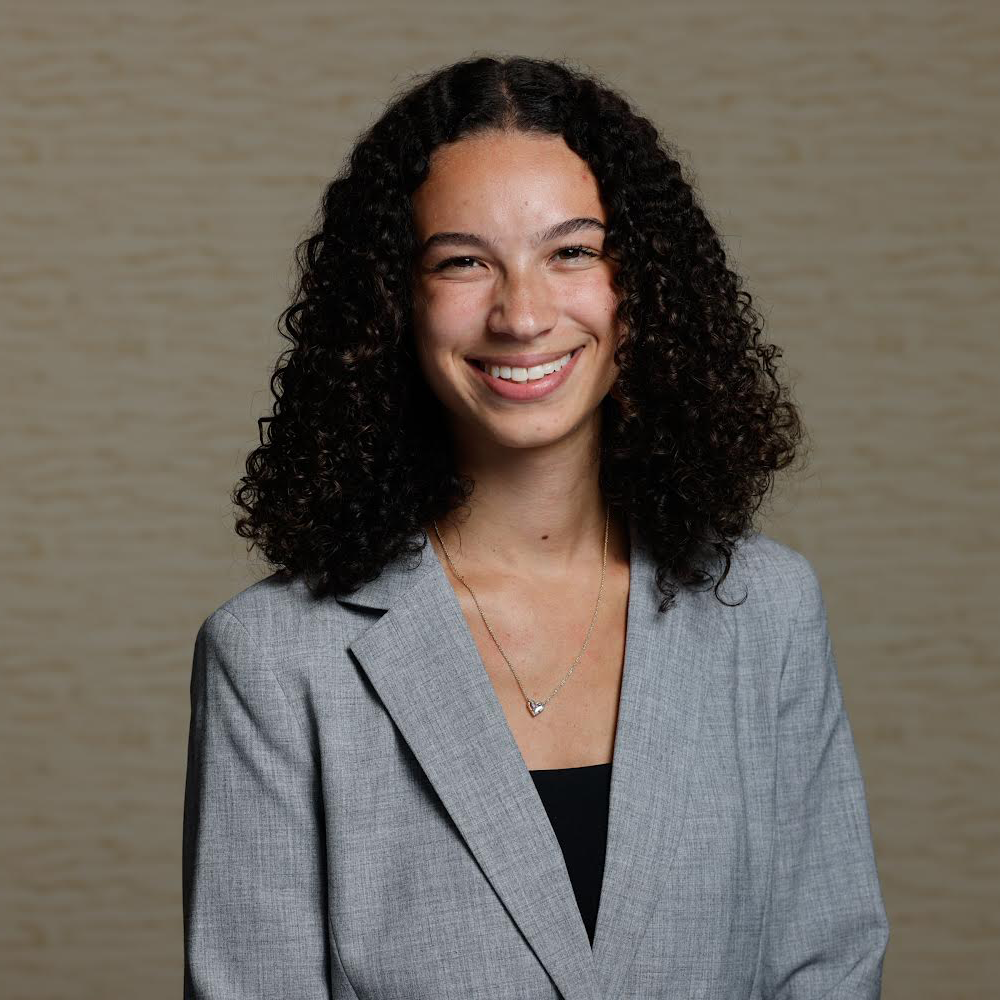
Alyssa Peek, 2026 UMSI graduate, had taken a course with Bermann previously and in the winter 2026 semester, she pursued an independent study with him to address a gap in privacy and security education among university students.

As a Resident Advisor (RA) at U-M, Alyssa identified outreach possibilities in the residence hall environment. She says, “I wanted to focus on building a foundation to expand tools, resources, and education for Resident Advisors and students living in dorms on campus. As an RA, I regularly hear students' questions and see the confusion they experience around topics like privacy, security, and digital safety."

Alyssa has been designing a visually engaging infographic plus a fun Jeopardy-style game, which she piloted this spring to warm reception by her RA colleagues. She is continuing to enhance the game design as well as creating a plan for promoting and implementing her toolkit in multiple residence halls during the 2026/2027 academic year.

Bermann is enthusiastic about where these projects can lead as ITS continues to develop them, “The concepts are creative and fun, thoughtfully designed, and they have the potential to expand privacy literacy at U-M and for children, who are at significant risk from an early age.”


Enhancements to Data Protection Training Curriculum

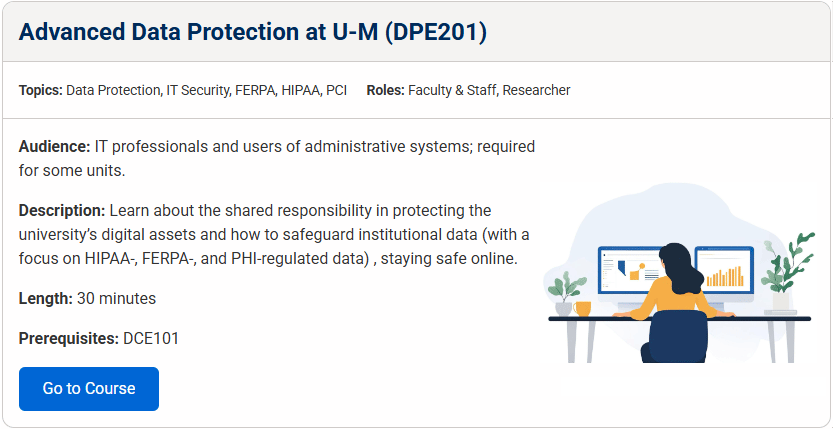
Screenshot of DPE201 Listing on Education pageThe Safe Computing Training & Education page has been revamped to:

  • Include more courses
  • Provide concise details about each course
  • Enable users to filter the list by topic and/or role

Additionally, My LINC course codes have been adjusted to better reflect the content level and sequence of different courses (100-, 200-, 300-level).

Notable course updates and additions include:

  • DPE201: Advanced Data Protection at U-M. This is a renamed, single copy of the three “DPE101/110/111: Data Protection for ITS/Unit IT” courses, which had identical content. The change:
    • Better identifies it as the next-level course after the prerequisite “DCE101: Cybersecurity and Data Protection at U-M.”
    • Makes it simpler to find the right course when searching in My LINC.
      Note: Users who previously completed this course under any of the three original course names are automatically given credit for having taken DPE201.
  • DSE101: Introduction to Data Stewardship. Designed for members of the U-M community who have data governance responsibilities or are interested in data governance.
  • Student training:
    • Safe Computing Challenge for Students
    • Copyright Compliance Quiz
    • Coming soon: Online Safety for U-M Students

The enhancements to the Training & Education page should help units identify training and resources appropriate for faculty, staff and students and require it, when appropriate, in accordance with Information Assurance Awareness, Training, and Education (DS-16).


Reminders & Events

Sharing IT Security Expertise and Experience at EDUCAUSE Conference

At the 2026 EDUCAUSE Cybersecurity and Privacy Professionals Conference (CPPC), IA and Unit IT experts partnered to contribute deep knowledge and valuable experience with higher education colleagues.

Building Trustworthy AI for Researchers

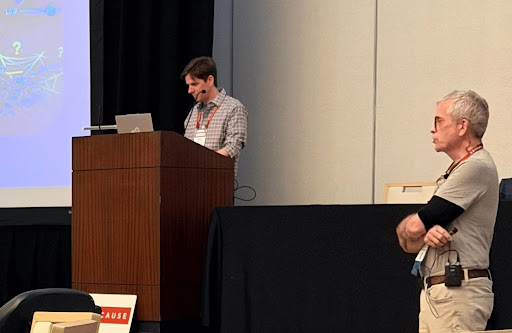
Tommy Tunks, Research Data Security Analyst in IA, and Louis Daher, Senior Data Security Analyst at CAENTommy Tunks, Research Data Security Analyst in IA, and Louis Daher, Senior Data Security Analyst at CAEN, hosted a breakout session on Building Trustworthy AI for Research Compliance and Security.
The well-attended presentation discussed challenges associated with trusting AI with sensitive academic research and operations, and highlighted behavioral guardrails for protecting high-stakes interactions with chatbots.

Tunks and Daher showcased three chatbots built to support College of Engineering researchers and walked through the design, development, and testing behind the innovative tech solutions. The two presenters discussed important lessons, giving their audience not only a live demonstration, but a number of supporting resources to take back to their institutions.

When describing his experience at the conference, Tunks said, “Presenting at EDUCAUSE was a great opportunity to connect with peers across higher education and talk about how institutions are approaching AI in regulated research environments. There was strong interest not just in the potential of these tools, but in the real-world challenges, limitations, and safeguards needed to use them responsibly under strict compliance requirements.”

Daher clarified what it means to use AI responsibly: “Trustworthy AI is not created by sprinkling compliance fairy dust on a chatbot. You have to teach it not to bluff, not to invent offices that don’t exist, not to freestyle federal compliance, and to call in a human when the stakes get real. I hope EDUCAUSE participants took away the same thing I’ve learned from Tommy: the best AI tools are helpful when they know when to stop talking.”

Telling a Compelling IT Policy Story

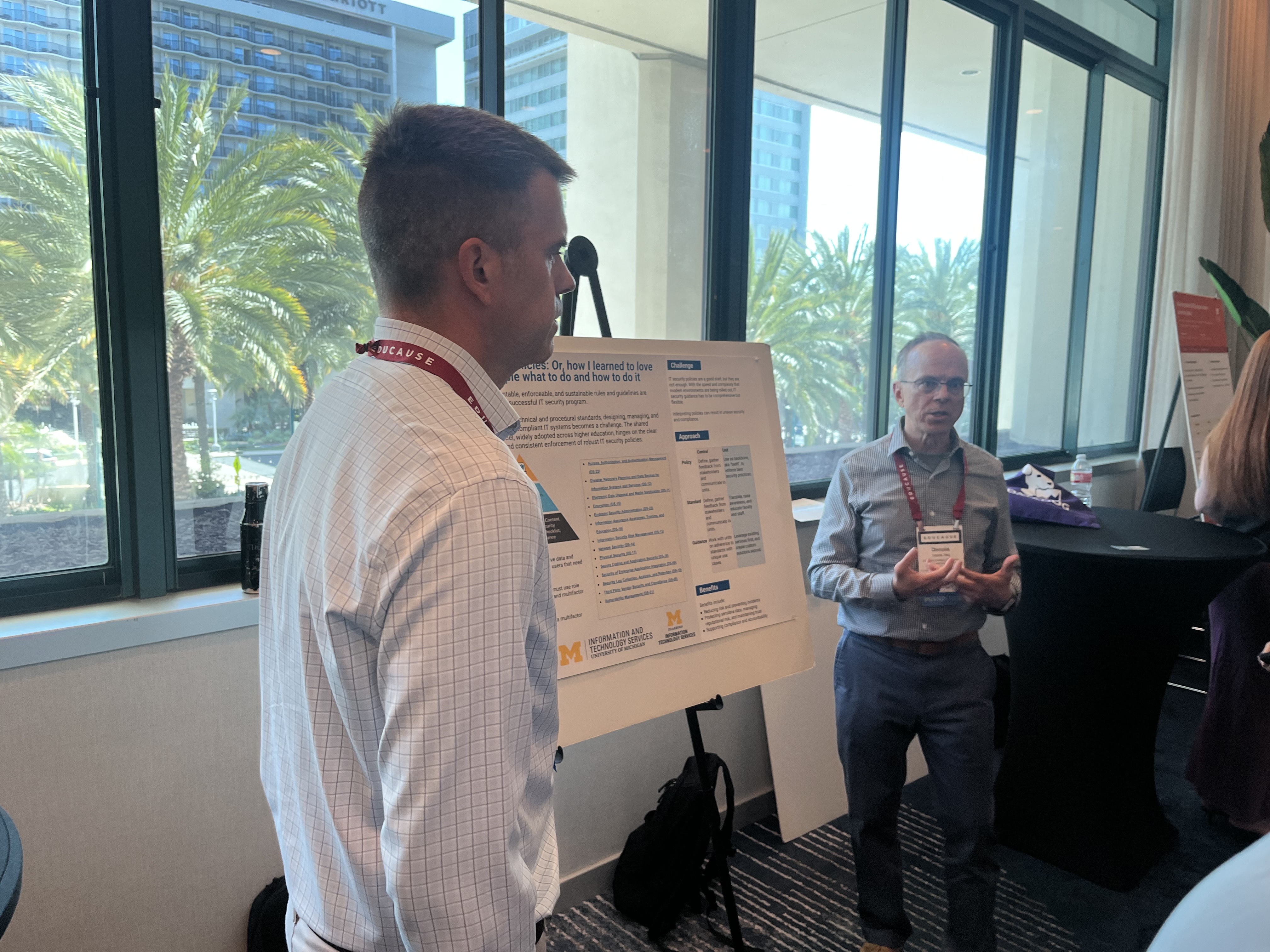
Dennis Neil, Information Systems Security Assistant Director, and Joe Lubomirski, Director of Security, Infrastructure, and Operations at U-M DearbornDennis Neil, Information Systems Security Assistant Director, and Joe Lubomirski, Director of Security, Infrastructure, and Operations at U-M Dearborn, presented a poster on IT Security Policies: Or How I Learned To Love Telling People What To Do and How To Do It.
The IT security duo told a compelling story about the importance of IT policies to institutional security and compliance. They depicted the connection between guidance, IT standards, and university policies, and discussed the shared nature of the responsibility to protect systems and data.

Lubomirski reflected on the positive impact of collaboration, “The poster was yet another example of the partnership between unit IT and central IT. During the session, we talked about the feedback opportunities given to unit IT at U-M when policies are rolled or revised. Unit IT from other institutions shared horror stories with me about similar policy pushes on their campuses."

Neil added more on the audience feedback, “Attendees were surprised and encouraged by how well written IT standards are flexible and don’t need to be updated because of changes in technology.”

Next time you see a conference call for proposals in your inbox, consider engaging other campus partners to showcase the U-M experience and demonstrate expertise at its best.


Student Perspectives and Advice from AI Summit

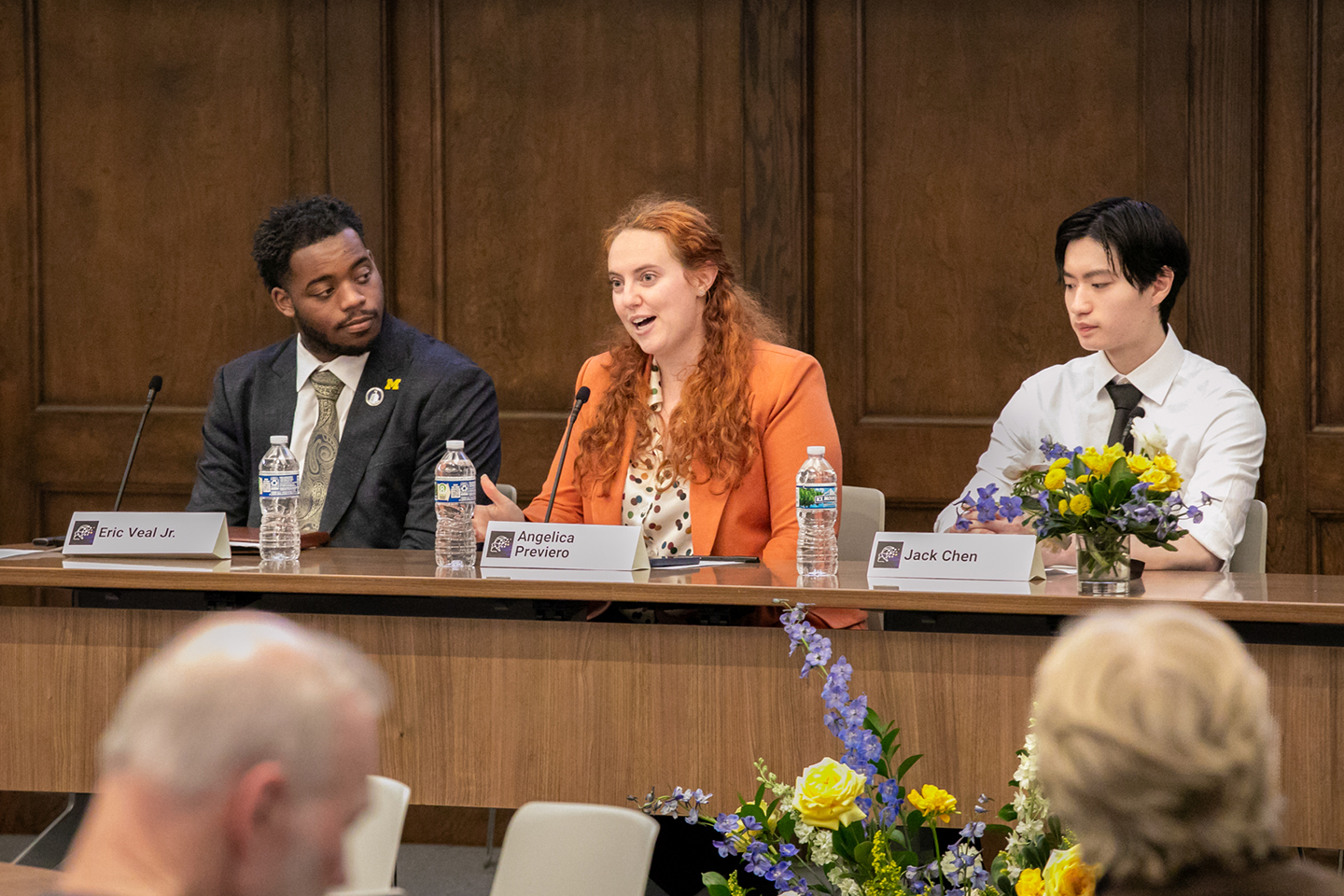
Eric Veal Jr., Angelica Previero, Jack ChenIn April, ITS and the Provost's Office hosted an AI summit titled "Everything That Is Wrong About AI: A Critical Look at Challenges & Opportunities," where attendees and panelists engaged with the topic of artificial intelligence and the risks and opportunities it introduces. You can read a summary of the event in the Michigan Technology Community News.

One of the highlights of the summit was a panel of student leaders, moderated by Dr. Ravi Pendse, VPIT-CIO. He posed this question to the student panelists: What advice did they have for their professors and the university regarding AI adoption and use?

Eric Veal Jr., Student Body President, shared his perspective that the university needs to teach essential AI skills and put students at the center of AI development and adoption on campus. "We can test the tools and give a student perspective."

Angelica Previero, a doctoral student in Molecular, Cellular, and Developmental Biology, and outgoing President of the Rackham Student Government, agreed, "As things change so fast, it can feel like AI is happening to us. Having proactive conversation can help us feel like we have agency." Preveiro also reflected on opportunities to reduce dependence on AI by focusing classroom and study time on analyzing concepts, rather than exercising basic “plug-and-play” skills.

This idea was echoed by Jack Chen, a senior studying Computer Science Engineering at U-M who serves as the vice president of the Michigan AI Safety Initiative. He shared that students often perceive some assignments as busy work that incentivizes them to use AI and save brain power for projects they value. "Think critically about what is really necessary," he urged. "What do the students need to know? Have students do less work but do it more meaningfully."

Chen also touched on the need to make AI companies more responsible. "AI companies are putting the accountability back on the user for their systems giving bad advice." He suggested an innovative possibility based on AI's own methods of learning. "Maybe if Claude could hear itself taking on ethical questions, maybe it would act more ethically."

Perhaps the most succinct answer came from Eric Veal Jr.: "We need to ask not what can AI do, but what should AI do?"


In the News

AI and facial recognition amplify threats and promise solutions

Artificial intelligence (AI) is upending many forms of work, so it's no surprise that it's both amplifying and helping mitigate cybersecurity risks. AI is capable of identifying security holes much faster than human hackers, and AI agents can write code to orchestrate cyberattacks with increasingly less human involvement. AI agents can even negotiate the sale of stolen data on behalf of threat actors. At the same time, AI can spot software vulnerabilities, suggest coding fixes, and take defensive actions. The days of error-prone AI agents are giving way to rapid improvements that make this powerful technology a force for good as well as evil. With guidance from skilled software engineers and threat actors alike, AI is turning the world of cybersecurity upside down.

A.I. Is on Its Way to Upending Cybersecurity (The New York Times)

School security is a pressing issue in the United States, and facial recognition is one of the proposed solutions being tried here in Michigan. Vendors promise automated screening of visitors, logging of visitors to the building, and checking them against FBI databases and the National Sex Offender Registry. At the same time, the shortcomings of facial recognition technologies create new hazards. Molly Kleinman, Managing Director of the Science, Technology, and Public Policy Program at the Ford School of Public Policy at the University of Michigan, discussed issues with facial recognition in schools with Michigan Public. She notes that facial recognition software is primarily trained on white male adult faces, which can lead to mis-identification of and potentially bias against certain populations. Additionally, she says that the prospect of being surveilled may discourage parents from going to their children's schools, hindering a key component for student success. She points out that while vendors say facial recognition data is stored securely, encrypted, and never sold, she is still concerned that it might be shared, and once it is, you can't get it back.

Facial recognition is now in some Michigan schools, but critics are concerned (Michigan Public)


Tips to Share

Consult the Sensitive Data Guide when using U-M data, especially with AI

You probably know that the Sensitive Data Guide to IT Services helps you make decisions about what services to use to securely collect, process, store, or share university data. Did you know that the Guide is kept up to date with the latest AI services offered at U-M?

For each tool or service, such as ITS AI Services, the Guide lists which sensitive data are permitted, not permitted, or permitted with ITS Information Assurance (IA) consultation. Some important points to remember include:

  • Only use approved AI services with U-M sensitive data.
    • ITS AI Services have protections in place to ensure the security of U-M data and the privacy of persons who use those services.
    • Do not place sensitive data in an AI service unless there is a U-M contract or data agreement in place that permits it.
    • AI stand-alone tools and/or functionality embedded in a third-party service must have an appropriate data protection agreement in order to be used with sensitive data.
  • You can contact ITS IA through the ITS Service Center if you are in doubt about using a particular solution with U-M institutional data. IA is available to consult with you about the best ways to protect U-M data.
  • Protect your personal information by reading the terms of service and privacy policies of services you use. Before activating an app or a feature, weigh the benefits of the service against the risks it introduces.

Remember that the entire U-M community has a shared responsibility to protect the university’s digital assets and the Sensitive Data Guide is a convenient tool to help you safeguard U-M data.